Why Is Your Checkout Stuck on a Loading Spinner? (And How to Fix It)

UptimeClick Diagnostics
8 min read
The Infinite Spinner of Death
A prospective customer spends ten minutes browsing your store, selects three items, types out their full shipping address, and inputs their credit card number. With high purchase intent, they click the primary action button: “Place Order”.
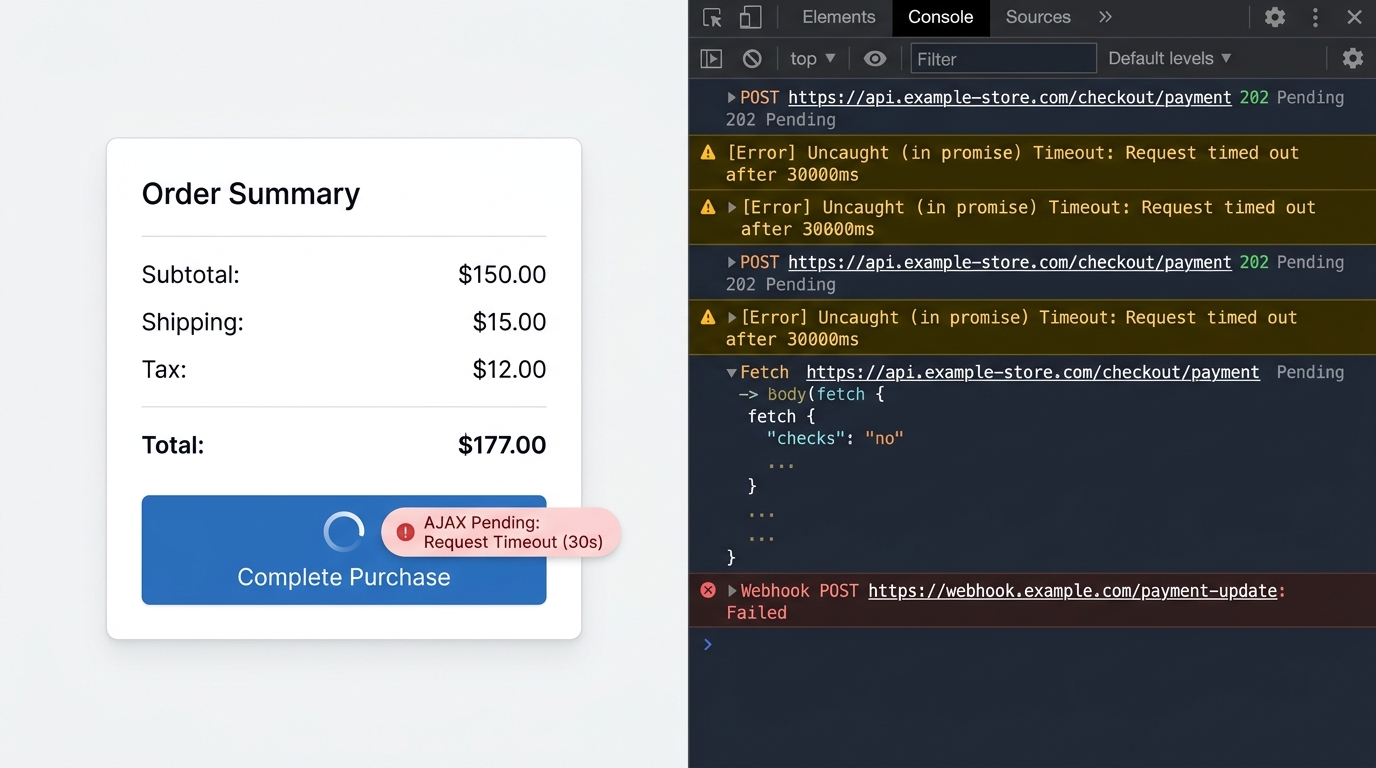
The button transitions into an animated spinning wheel. The customer waits. Five seconds pass. Ten seconds pass. Thirty seconds pass. The spinner keeps turning indefinitely.
Fearing a double-charge, the customer avoids clicking a second time. Eventually, they refresh the page or abandon the tab completely to buy from a competitor. Meanwhile, your analytics dashboard records an unexplained abandoned checkout, and your server monitors remain blissfully green.
This is the infinite checkout spinner—one of the most insidious conversion killers in modern e-commerce. Because it does not throw an explicit red banner like Something Went Wrong, shoppers assume your server is frozen or insecure.
Want automated verification that your 'Place Order' button actually works?
Standard HTTP ping monitors only check server status codes and miss broken JavaScript hydration, invisible overlays, and disabled checkout buttons. UptimeClick runs real headless Chromium every 2 hours to verify that buttons like Place Order or Complete Purchase are physically actionable—alerting you immediately with error screenshots if a click fails.
Why Basic Uptime Pings Never Catch This
Most online store owners rely on conventional synthetic monitors like Pingdom or UptimeRobot. These legacy services send simple HTTP GET or HEAD requests to your home page or checkout URL every five minutes.
When your checkout page is requested, your web server returns an HTTP 200 OK status code alongside HTML markup. The ping monitor registers a healthy response and displays 100% uptime.
However, an infinite spinner is almost never an HTTP 503 server outage. It is a client-side execution deadlock: JavaScript initiates an asynchronous network dispatch, but because of a malformed JSON schema, an unhandled Promise rejection, or a blocked iframe callback, the UI thread never receives the command to dismiss the spinner.
The 4 Hidden Causes of an Endless Checkout Spinner
1. WooCommerce AJAX Handshake Failure (wc-ajax=checkout)
WooCommerce executes order placement asynchronously via an endpoint named /?wc-ajax=checkout. When the buyer clicks Submit, client-side scripts send form data via POST and pause the UI with an opaque loading overlay.
The JavaScript strictly expects a structured JSON object in return, formatted as:
{
  "result": "success",
  "redirect": "https://yourstore.com/checkout/order-received/12345/..."
}
If anything pollutes this payload, the JSON parser throws a silent SyntaxError: Unexpected token < in JSON at position 0 and aborts execution. The script dies, and the loading spinner remains on screen permanently.
Common culprits that break this payload include:
- PHP Notices or Deprecation Warnings: If
WP_DEBUG_DISPLAYis accidentally enabled in production, PHP error text gets prepended to the output buffer before the JSON header is dispatched. - Aggressive Server Caching Plugins: Plugins like WP Rocket, LiteSpeed Cache, or Cloudflare APO caching the dynamic checkout AJAX route and returning cached static HTML.
- PHP Memory Exhaustion: The checkout script hits a 500 error while generating transactional emails or updating inventory because
WP_MEMORY_LIMITis constrained to 64MB or 128MB.
2. Shopify Form Disconnect & Theme App Extensions
On Shopify, checkout forms are increasingly driven by Theme App Extensions, checkout sheet extensions, and headless cart drawers. When a developer or third-party app customizes the cart template, they often attach a click listener that toggles a visual loading class:
// Common pattern in custom cart templates
checkoutBtn.addEventListener('click', (e) => {
  checkoutBtn.classList.add('is-loading', 'disabled');
  // If cart form submission is intercepted or validation fails:
  // The spinner stays active forever without redirecting!
});
If an analytics tag, bundle app, or currency converter throws an uncaught exception before form.submit() or the Shopify Cart API resolves, execution terminates mid-flight. The button remains locked in its .is-loading CSS state. As we explored in our deep dive on how third-party scripts break checkout, a single marketing pixel timeout can completely freeze this button.
3. Payment Gateway Modal / 3D Secure Iframe Deadlock
Modern payment gateways (Stripe Elements, PayPal Complete Payments, Adyen, Klarna) embed secure iframes on your checkout page to isolate sensitive card numbers from your application server.
When a customer clicks Pay, the parent checkout window sends a message via window.postMessage()to the gateway iframe. The parent window displays a loading spinner while awaiting the gateway’s response:
- Content Security Policy (CSP) Violations:If your web server enforces a strict CSP that omits the payment processor’s authorization frame domain, the browser blocks the 3D Secure authentication modal. The parent page never receives the success payload and spins indefinitely.
- Ad Blocker & Privacy Extension Conflicts: Browser extensions like uBlock Origin or Privacy Badger sometimes mistake authentication telemetry scripts for invasive tracking tags and abort the handshake silently.
4. CSRF / Nonce Token Expiration on Dormant Carts
To protect against Cross-Site Request Forgery (CSRF), e-commerce platforms assign cryptographic tokens (nonces) to checkout forms. These tokens have a strict Time-to-Live (TTL)—often between 12 and 24 hours.
Consider a shopper who opens your checkout tab on Friday evening, leaves their laptop open, and clicks “Place Order” on Saturday morning. The nonce has expired. When the form submits, the backend server rejects the request with an HTTP 403 Forbidden response.
If the frontend code does not include an explicit catch block to handle expired sessions and prompt a refresh, the application fails silently, leaving the buyer staring at an eternal loading spinner.
Step-by-Step Developer Triage Workflow
When an infinite spinner is reported, replicate the issue in a desktop browser and execute this diagnostic triage:
Step 1: Inspect the Browser Network Tab
Open Chrome Developer Tools (F12 or Ctrl + Shift + I), navigate to the Networktab, and click “Place Order”.
- Filter by
Fetch/XHR. Look for the active checkout request (e.g.,/?wc-ajax=checkoutor/cart/checkout). - Is the status “Pending” indefinitely? The server process is hanging on an external API (such as real-time tax calculation, shipping rate fetching, or CRM sync). Check your gateway and shipping API timeouts.
- Did it return HTTP 200 but stay spinning? Click the request, select Response, and inspect the body. If you see HTML code (like
<br /><b>Fatal Error</b>) instead of valid JSON, an output buffer leak is breaking your parser. - Did it return HTTP 403 or 419? Your security nonce or CSRF session token has expired.
Step 2: Check the Console for Unhandled Exceptions
Switch to the Console tab. Look for red stack traces triggered at the exact moment of the button click. An error such as Uncaught (in promise) TypeError: Cannot read properties of undefined indicates that a script expected data that the backend failed to return, aborting the UI completion handler.
Step 3: Exclude Checkout from Caching & Minification
Ensure your cache configuration explicitly bypasses all dynamic shopping cart endpoints:
# Nginx configuration example for WooCommerce bypass
location ~* /checkout/|/cart/|/?wc-ajax= {
    expires -1;
    add_header Cache-Control "no-store, no-cache, must-revalidate, max-age=0";
}
Platform Comparison: Spinner Triggers
| Platform | Primary Failure Point | Typical Error Mechanism | Resolution |
|---|---|---|---|
| WooCommerce | wc-ajax=checkout | PHP notice prepended to JSON output | Disable WP_DEBUG_DISPLAY, raise PHP memory to 256M |
| Shopify | Cart template scripts | Class .is-loading added but form uncoupled | Audit app extensions, wrap button in valid form tag |
| Custom / Headless | Payment gateway iframes | Cross-origin postMessage blocked by CSP | Whitelist gateway domains in Content Security Policy |
| Magento / Adobe | Knockout.js payment step | Rest API /V1/guest-carts/ timeout | Check Elasticsearch and Redis lock deadlocks |
How Synthetic Monitoring Eliminates Frozen Spinners
You cannot expect customers to open DevTools, document the AJAX stack trace, and email your engineering team when an order button locks up. Most simply leave and never return.
This is why synthetic browser monitoring is crucial. Unlike passive ping monitors that only inspect server response codes, UptimeClick launches real headless Chromium instances at scheduled intervals to:
- Navigate to your live product pages and click Add to Cart.
- Wait for dynamic DOM mutations and proceed to your checkout flow.
- Interact with checkout buttons to test real-world actionability.
- Detect if a button transitions into an endless loading state or fails to complete within a threshold.
- Capture high-resolution screenshots and DOM error traces the instant a freeze occurs, alerting your team via email before revenue is lost.
Frequently Asked Questions
Why does the checkout spinner happen for some shoppers but not others?
Different shoppers trigger different checkout logic depending on their geographic destination, chosen shipping tier, or currency. A third-party tax calculation API might fail only for orders to specific countries, or an ad blocker installed on a customer’s browser might block the 3D Secure payment modal while mobile shoppers proceed normally.
Will increasing PHP memory fix WooCommerce checkout freezing?
If your server error log reveals Fatal error: Allowed memory size exhausted, increasing WP_MEMORY_LIMIT to 256M or 512M will resolve the issue immediately. However, if the freeze is caused by a JavaScript syntax error or blocked payment iframe, raising server memory will not solve the frontend deadlock.
How do I know if an ad blocker is causing the freeze?
Test your checkout in an Incognito / Private window with all browser extensions disabled. If the payment completes instantly in private browsing but spins indefinitely in standard mode, inspect the blocked request logs in extensions like uBlock Origin or Brave Shields to identify which payment script was suppressed.
Catch Frozen Checkout Buttons Before Your Customers Walk Away
UptimeClick tests your live Add to Cart and Checkout buttons inside real Chromium desktop browsers every 30 minutes. Get instant alerts and error screenshots the moment a button stops responding.