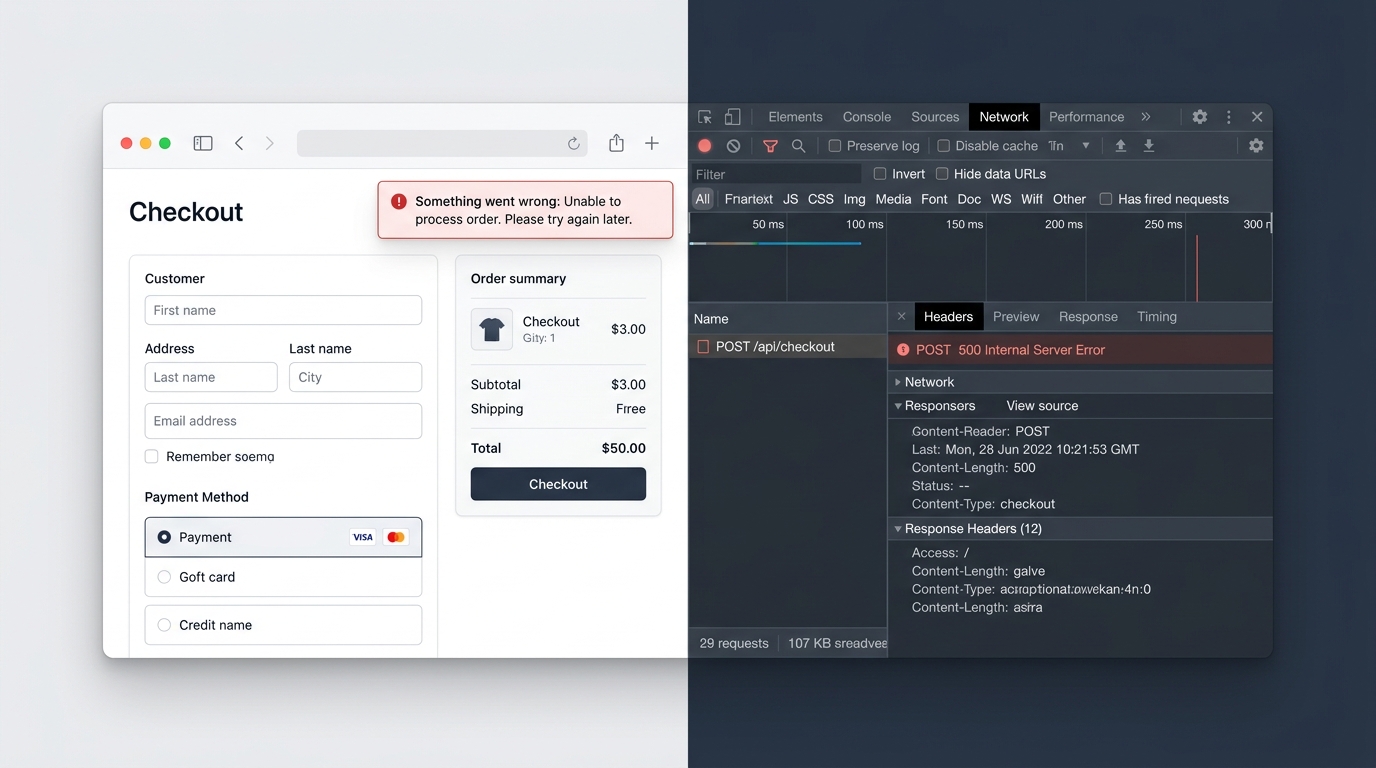
Fixing “Something Went Wrong: Unable to Process Order” at Checkout

UptimeClick Operations
6 min read
The Vague Error That Kills High-Intent Transactions
When a buyer lands on your checkout page, they have reached the final 1% of your sales funnel. They have evaluated your product, accepted your shipping rates, and typed in their private payment information.
Clicking “Place Order” should reward them with an instant confirmation screen. Instead, the page hangs for several seconds before presenting a generic red warning box: “Something went wrong: Unable to process order. Please try again later.”
This is the most dangerous error in e-commerce because it tells the buyer nothing actionable. Was their card charged? Should they click the button again and risk double-billing? In most cases, shoppers simply abandon the transaction and purchase from a competitor.
Want automated verification that your 'Place Order' button actually works?
Standard HTTP ping monitors only check server status codes and miss broken JavaScript hydration, invisible overlays, and disabled checkout buttons. UptimeClick runs real headless Chromium every 2 hours to verify that buttons like Place Order or Complete Purchase are physically actionable—alerting you immediately with error screenshots if a click fails.
Why E-Commerce Engines Throw Generic Fallback Errors
Platforms like Shopify, WooCommerce, and Magento use generic error banners as a catch-all safety net. When a backend transaction encounters an unhandled exception or an invalid API response, the system suppresses the raw technical stack trace to protect security and displays the friendly fallback message instead.
To fix it, you need to look beneath the surface and diagnose which integration triggered the silent crash.
The 4 Hidden Culprits Behind the Crash
1. Stale Session Nonces and Aggressive HTML Caching
Security protocols require unique cryptographic nonces (tokens) to validate that a checkout request originated from a genuine visitor session.
If your CDN (Cloudflare, Fastly) or caching plugin (WP Rocket, LiteSpeed) caches the HTML of your cart or checkout pages, multiple shoppers will be served the exact same cached security token. When the second shopper submits payment, the platform detects a duplicate or expired nonce and terminates the order submission immediately.
The Fix: Ensure dynamic routes (/cart, /checkout, /order-pay) are strictly excluded from all edge caching, page caching, and HTML minification pipelines.
2. Broken AJAX Payloads from Cart Customization Apps
Apps that modify the checkout experience (such as custom field collectors, gift wrapping add-ons, or bundle discount managers) intercept the form submit action to inject custom attributes into the payload.
If an app script sends a malformed JSON payload or fails to pass a mandatory line-item property, the core checkout API rejects the request with an HTTP 400 Bad Request error. Because the theme template lacks a dedicated handler for this specific error, it triggers the generic “Something went wrong” banner.
The Fix: Open Chrome DevTools (F12), switch to the Network tab, and click the order button. Inspect the response body of the failed checkout.json or ?wc-ajax=checkout request to see the exact field validation error.
3. Payment Gateway API Mode and Key Mismatches
During redesigns or plugin updates, merchants occasionally leave payment gateways in “Test Mode” while attempting live transactions, or update API public keys without updating matching secret webhook signing keys.
When a real customer submits card details, the gateway rejects the handshake due to authorization failure. The platform receives an authentication error and renders the generic fallback banner.
The Fix: Navigate to your payment provider settings, verify that Test Mode is completely deactivated, and test a live micro-transaction using a real credit card.
4. Server Memory Limit Exhaustion (WooCommerce / Magento)
Processing an e-commerce order requires substantial server overhead: computing tax rates, validating inventory, executing payment handshakes, and generating customer emails simultaneously.
If your PHP memory limit is set to the default 128MB or 256MB, the server can run out of memory midway through order processing. The PHP process terminates abruptly, returning an HTTP 500 Internal Server Error back to the browser.
The Fix: Increase your server’s memory_limit to at least 512MB inside your wp-config.php or php.ini configuration file.
Why Ping Checkers Cannot Protect Your Funnel
A basic uptime monitor pings your domain every few minutes. Because your homepage and product pages load with HTTP 200 OK, the ping checker reports 100% operational health.
The “Something went wrong” error happens exclusively during the active POST transaction. Ping checkers never fill out forms, never interact with payment selectors, and never verify that orders can actually complete.
True revenue protection requires continuous synthetic browser automation: launching headless Chromium engines to navigate your live store, execute interactive DOM checks on buy buttons, and immediately alert you with high-resolution screenshot proof when checkout flows fail.
Never Lose Customers to Vague Checkout Errors
UptimeClick monitors your purchase buttons and checkout elements 24/7 with real headless Chromium automation. Receive instant alerts the moment order processing breaks.