Why Your Checkout Works on Desktop but Fails on Mobile

UptimeClick Operations
5 min read
The Desktop Verification Trap
Over 75% of online retail traffic originates from smartphones. When a merchant notices a sharp decline in overall conversion rate, their first diagnostic step is usually opening their laptop, visiting their store on Chrome, and placing a test order.
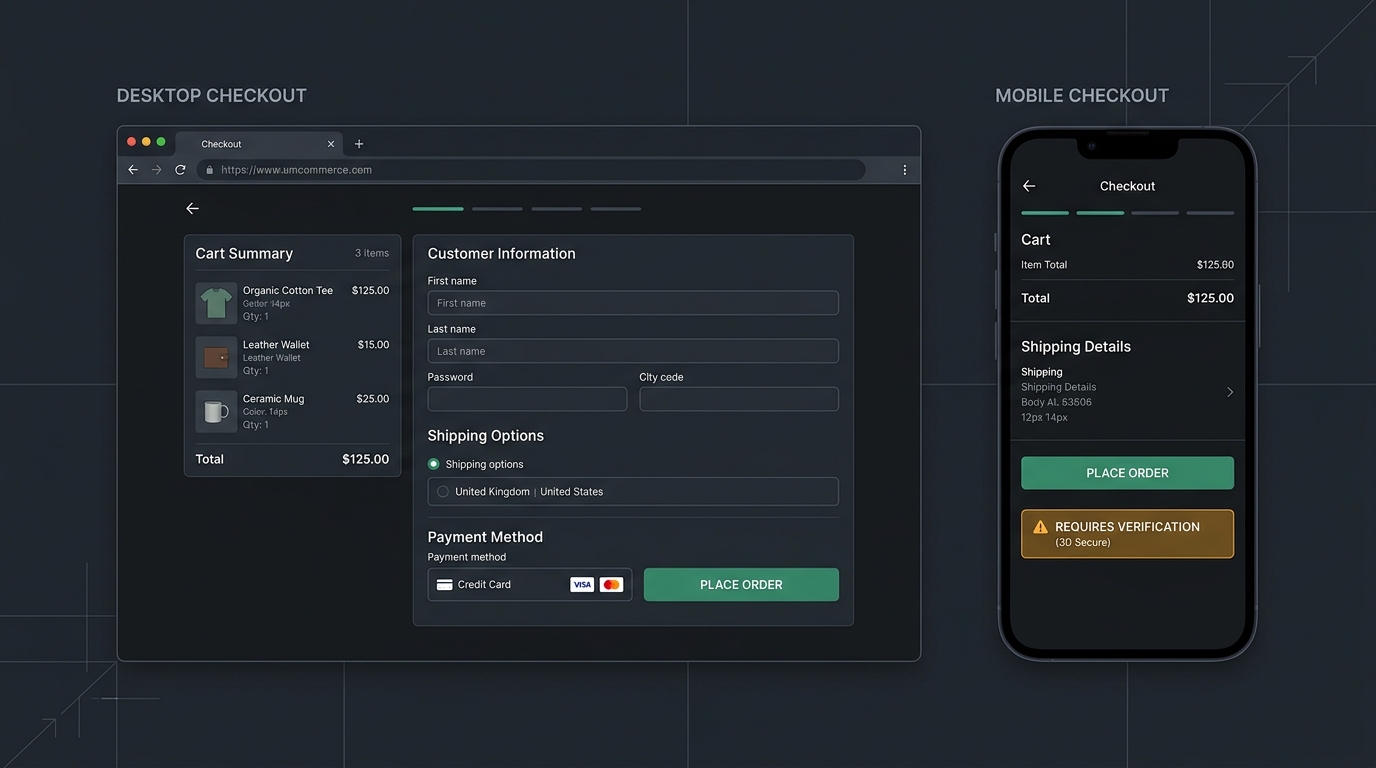
On a wide desktop screen with a mouse, the checkout flow proceeds without friction. The form fields render neatly, payment iframes load quickly, and the “Place Order” button triggers immediately.
This creates a false sense of security. Mobile browsers operate under strict viewport constraints, asynchronous touch handlers, dynamic virtual keyboards, and thermal throttling. A checkout interface that works on a 1440px desktop display can be completely unclickable on an iPhone or Android device.
The 2-Minute Mobile Diagnostic Checklist
Before modifying your store theme or adjusting marketing campaigns, verify these four common mobile failure triggers:
- Inspect Virtual Keyboard Displacement:Open your checkout on an actual smartphone. Tap the last address input field to open the software keyboard. Confirm that the viewport scrolls correctly and that the “Continue to Payment” button is not hidden beneath the keyboard overlay.
- Verify Sticky Widget and Cookie Z-Index: Check floating elements such as WhatsApp chat buttons, reviews badges, and cookie consent banners. On narrow viewports, these widgets often float directly above the purchase button, intercepting touch events.
- Audit Input Font Sizes: Inspect your CSS for input elements. If any text input has a
font-sizesmaller than 16px, iOS Safari automatically triggers an involuntary viewport zoom that shifts layout alignment. - Test 3D Secure Banking Redirects: Complete a test payment on mobile using a card requiring two-factor SMS or bank app verification. Mobile browser tabs frequently lose session state or drop the cart token when switching between apps.
The 5 Hidden Culprits Behind Mobile Checkout Failures
1. Virtual Keyboard and Visual Viewport Displacement
On desktop browsers, the viewport dimensions remain static while the user types. On mobile devices, the emergence of the software keyboard reduces the screen area by approximately 40% to 50%.
Modern CSS frameworks that rely on fixed units (like 100vh instead of dynamic 100dvh) fail to recalculate available space when the keyboard opens. The submission button is frequently pushed beneath the visible boundary or rendered unclickable behind fixed footer navigation bars.
2. Chat Widget and Modal Overlay Collisions
Customer support widgets (such as Gorgias, Zendesk, or WhatsApp floating buttons) are typically designed for desktop layouts where ample screen margin exists.
On a 390px mobile screen, a floating chat bubble positioned at the bottom right can cover up to 25% of the purchase button area. If the chat wrapper has an invisible hit-box with pointer-events: auto, customer taps register as chat inquiries rather than order submissions.
3. The iOS Safari Input Focus Zoom Bug
Apple designed Safari on iOS to automatically zoom into text fields whenever an input element has a computed font size under 16 pixels.
When a customer taps a postal code or CVV field styled with 14px font, the entire page zooms in by 120%. This involuntary zoom shifts the page layout horizontally. When the user attempts to tap “Complete Order,” the button coordinate has shifted, causing repeated missed taps and frustrated abandonment.
4. Mobile CPU Thermal Throttling and Delayed Hydration
Desktop computers possess powerful multi-core processors that execute heavy JavaScript bundles in milliseconds. Mobile devices, particularly budget Android phones or thermally throttled devices, can take 3 to 5 times longer to parse client-side scripts.
If a store loads dozens of tracking tags (Meta Pixel, TikTok Pixel, Google Tag Manager), the browser main thread freezes during checkout page hydration. A mobile shopper taps “Place Order” while the JavaScript event listener is still queued. Because the browser has not bound the click handler, the tap is completely ignored.
5. Mobile Banking App Switching and Token Loss
Strong Customer Authentication (SCA) mandates 3D Secure verification for many international card payments. On desktop, shoppers approve payments using a smartphone while keeping the browser tab open.
On mobile, the user must minimize the browser to open their banking application. In low-memory mobile environments, the operating system may terminate background browser tabs to conserve RAM. When the customer returns to the storefront after approving the transaction, the browser reloads an empty cart page, leaving the transaction unconfirmed.
Why Ping Monitors Never Notice Mobile Breakages
Traditional website monitoring tools send basic HTTP GET requests from cloud data centers. As long as your hosting server returns an HTTP 200 OK header, the monitor displays a green uptime badge.
These monitors do not run real browser engines, do not evaluate mobile viewport constraints, and do not test whether DOM buttons can physically register clicks. Your server health dashboard can show 100% availability while every mobile customer on your site is encountering an unclickable checkout button.
How Continuous Synthetic Monitoring Secures Your Funnel
To catch invisible checkout breakages before revenue drains away, modern e-commerce operators rely on continuous synthetic browser testing.
Tools like UptimeClick launch automated desktop Chromium browsers on a regular schedule:
- The browser navigates directly to your live product and checkout pages.
- It executes all client-side JavaScript, waiting for page hydration and dynamic third-party scripts to settle.
- It locates key action elements (Add to Cart, Proceed to Checkout, Place Order) in the live DOM.
- It evaluates physical clickability, ensuring buttons are visible, enabled, and unblocked by transparent modal overlays or broken script wrappers.
- If a button fails actionability checks, it captures an immediate high-resolution screenshot and dispatches an alert with visual evidence.
This functional monitoring ensures that when an unexpected theme patch, third-party widget, or script update breaks your purchase pipeline, your technical team is alerted in minutes rather than discovering the loss days later in your analytics reports.