Shopify Checkout Extensibility Errors: Why Apps & UI Extensions Freeze the Checkout Button
Shopify permanently retired checkout.liquid, forcing high-volume stores onto Checkout Extensibility. But when post-purchase upsells, package protection, and SMS capture extensions crash inside Web Workers, your Pay Now button freezes indefinitely. Here is the technical breakdown.
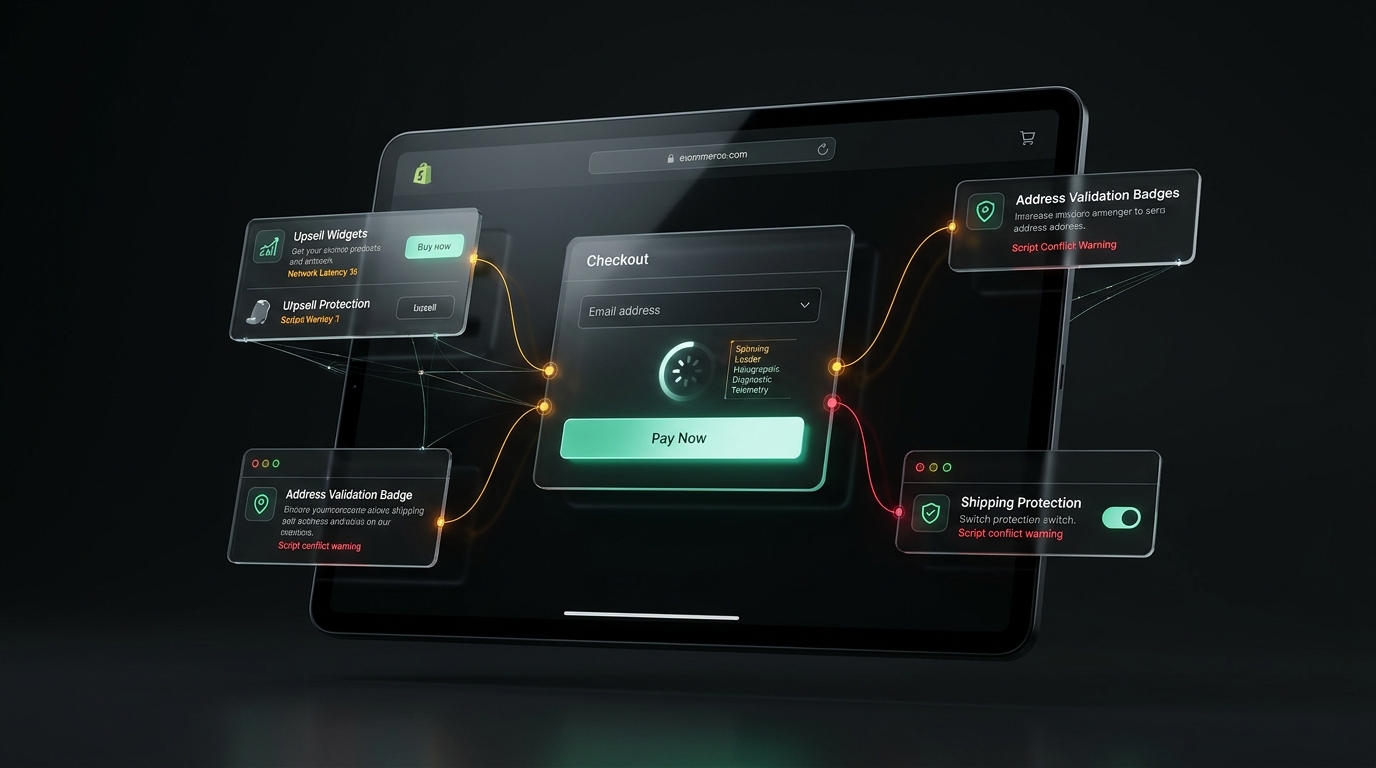
Is your Shopify checkout button physically clickable right now?
Shopify's edge servers always return HTTP 200 OKeven when UI extension conflicts freeze the “Pay Now” button. UptimeClick deploys real headless Chromium to fill simulated cart state, verify that submission buttons respond to clicks, and alert you instantly with error screenshots if a deadlock occurs.
The Silent Crisis Post-checkout.liquid Migration
For over a decade, Shopify merchants customized their checkout flows by editing checkout.liquid. You could paste arbitrary JavaScript snippets, inject tracking pixels directly into the document root, and manipulate checkout DOM nodes with basic jQuery selectors.
In 2024 and 2025, Shopify enforced the greatest architectural migration in e-commerce history: the complete retirement of checkout.liquid in favor of Shopify Checkout Extensibility.
On paper, the new architecture represents modern engineering excellence. Customizations are built with React and rendered through isolated UI Extensions executed in secure, sandboxed Web Workers. This guarantees PCI-DSS Level 1 compliance, insulates sensitive payment inputs from third-party keyloggers, and accelerates initial server response times.
However, in real-world e-commerce operations, a devastating side effect has emerged: silent checkout deadlock. When multiple app extensions attempt to mutate cart lines, validate discount codes, and query external APIs simultaneously, unhandled promise rejections inside the Web Worker freeze the final checkout submission button.
The 200 OK Illusion on Shopify Plus
Because Shopify is hosted on a massively distributed global CDN (Cloudflare and Fastly), your store's checkout URL (/checkouts/...) will virtually never return a 500 Internal Server Error. Traditional uptime tools like Pingdom or UptimeRobot report 100% green uptime while 100% of your buyers are unable to click “Pay Now”.
Architecture Breakdown: How UI Extensions Execute
To understand why checkout buttons freeze, we must look at how Shopify's extension engine communicates with the browser DOM. Unlike standard theme code that runs directly in the main thread window, Checkout UI Extensions are sandboxed:
+-------------------------------------------------------------+
|                 MAIN BROWSER THREAD (DOM)                   |
|  - Shopify Native Checkout Container                        |
|  - Credit Card Hosted Fields (Stripe / Shopify Payments)    |
|  - [ Pay Now ] / [ Complete Order ] Submission Button       |
+------------------------------^------------------------------+
                               | PostMessage RPC Bridge
                               v
+-------------------------------------------------------------+
|               SANDBOXED WEB WORKER RUNTIME                  |
|  +---------------------+  +-------------------------------+ |
|  | Extension A: Upsell |  | Extension B: Package Protect  | |
|  | (Rebuy / In-Cart)   |  | (Route / Navidium Insurance)  | |
|  +----------^----------+  +---------------^---------------+ |
|             |                             |                 |
|             +--------------+--------------+                 |
|                            |                                |
|                            v                                |
|             Shopify StandardApi & Cart State                |
|             - applyCartLinesChange()                        |
|             - applyDiscountCodeChange()                     |
|             - applyAttributeChange()                        |
+-------------------------------------------------------------+
When a buyer navigates through checkout, the main thread orchestrates UI rendering via a remote procedure call (RPC) bridge over postMessage. Each extension is mounted into a designated extension target (such as purchase.checkout.block.render or purchase.checkout.reductions.render).
Before Shopify allows the buyer to transition to the next step or execute payment, its internal state machine checks whether all registered extensions have resolved their lifecycle hooks and asynchronous cart mutations. If any extension hangs, the submission button remains in an unclickable pending state.
The 4 Primary Failure Modes Freezing Checkout Buttons
1. Asynchronous Cart Mutation Collisions (Race Conditions)
Consider a high-growth merchant with three popular apps installed: an automatic discount app, a package protection checkbox (e.g., Route), and a post-purchase one-click upsell app.
When the checkout page initializes, each app invokes methods on Shopify's StandardApi:
- App 1: Dispatches
applyDiscountCodeChange({ type: 'applyDiscountCode', code: 'SAVE10' }) - App 2: Dispatches
applyCartLinesChange({ type: 'addCartLine', merchandiseId: '...' })
Shopify requires cart mutations to be serialized. If Extension B fires a cart update while Extension A's update is still pending on the network, Shopify throws a ConcurrentCartMutationError. If the app developer failed to wrap their call in retry logic or a try/catch block, an uncaught exception crashes the worker thread.
// A typical buggy UI Extension without deadlock protection
export default reactExtension('purchase.checkout.block.render', () => {
  const applyCartChange = useApplyCartLinesChange();

  useEffect(() => {
    async function syncInsurance() {
      // If another app is mutating the cart, this throws an unhandled rejection
      const result = await applyCartChange({
        type: 'addCartLine',
        merchandiseId: 'gid://shopify/ProductVariant/982348123',
        quantity: 1,
      });

      if (result.type === 'error') {
        // App forgets to release pending state or catch rejection
        console.error("Cart mutation rejected:", result.message);
      }
    }
    syncInsurance();
  }, []);

  return <Banner title="Shipping Protection Active" />;
});
2. Third-Party API Timeout & Unresolved Promises
Many extensions communicate with their own SaaS backends during checkout—for example, to calculate custom loyalty points, check external fraud risk scores, or fetch personalized product recommendations.
If that third-party server experiences latency spikes (e.g., during Black Friday or a flash sale) and takes 15 seconds to respond, Shopify's checkout framework blocks the checkout transition. If the extension does not implement a strict 2-second AbortControllertimeout, the buyer sits staring at a perpetually spinning “Pay Now” button until they abandon the tab.
3. Dynamic Extension Target Hydration Mismatch
Shopify Plus merchants frequently use the drag-and-drop Checkout Editor in the Shopify Admin to position apps. When a theme update or merchant admin relocates an extension target (e.g., moving a loyalty rewards widget from the main column to the dynamic order summary sidebar), stale bundle manifests can attempt to hydrate against non-existent container nodes.
In the browser, this triggers an error:
[Error] Uncaught Error: Target 'purchase.checkout.reductions.render'
could not be resolved for extension 'app://rebuy-engine/checkout-block'.
State machine transitioned to 'ERROR_ABORTED'.
Checkout submission blocked: 1 pending worker lock remaining.
4. Invisible Overlay Containers Swallowing Touch Events
Even when extensions run without JavaScript errors, styling misconfigurations can render the checkout button mechanically unclickable. Extensions rendered near the bottom of mobile checkouts (such as terms-and-conditions checkboxes or loyalty balance bars) occasionally render hidden wrapper containers with position: relative; z-index: 9999; that overflow onto the primary submission button.
When the buyer taps “Pay Now”, the browser hit-test resolves to the transparent container of the extension rather than Shopify's native payment submission trigger.
How to Diagnose UI Extension Errors in 5 Minutes
Because Checkout Extensibility runs in Web Workers, standard console.log filtering in Chrome DevTools often misses the culprit. Follow this diagnostic checklist:
Isolate the Web Worker Threads
Open Chrome DevTools (F12 or Cmd+Option+I), navigate to the Sources tab, and expand the Threads pane in the right-hand inspection column. You will see several instances labeled extension-sandbox alongside the main thread.
Enable Pause on Uncaught Exceptions
In the Sources tab, click the Pause on Exceptions icon (the small stop sign) and check “Pause on caught exceptions”. Re-trigger the checkout action. DevTools will immediately freeze execution on the exact line inside the offending third-party app bundle that failed to resolve.
Inspect the Network Panel for Blocked Worker Fetches
Filter the Network tab by Fetch/XHR and inspect outbound calls originating from Web Workers. Look for HTTP 429 (Rate Limited), 504 (Gateway Timeout), or CORS preflight failures directed at third-party app endpoints.
Test via Incognito with Clean LocalStorage
Extensions frequently cache buyer session identifiers in indexedDB or worker memory. Always verify whether the freeze reproduces in a clean Incognito session without browser extensions or cached merchant state.
The Solution: Automated Synthetic Checkout Monitoring
Manual testing in DevTools solves yesterday's bug, but it does not protect your store at 3:00 AM on Sunday when an app developer deploys a breaking update to their cloud backend.
Because Shopify checkout pages are mission-critical, high-volume merchants require synthetic headless browser monitoring:
- Real Browser Engine: Emulates modern Chromium with full Web Worker and JavaScript execution support—not basic cURL or ping requests.
- Cart & Checkout Traversal: Navigates to a designated test product, triggers checkout, and arrives at the payment step.
- Hit-Test & Actionability Verification: Tests
document.elementFromPoint()and verifies that the “Pay Now” / “Complete Order” button is enabled, visible, unobstructed, and ready to dispatch. - Instant Failure Telemetry: Takes high-resolution viewport screenshots and extracts browser console logs the second a button deadlock is detected, emailing your technical team before customers flood support.
// Simplified model of UptimeClick's synthetic actionability check
const button = page.locator('button:has-text("Pay Now"), button:has-text("Complete order")');

// 1. Verify physical presence in DOM
await button.waitFor({ state: 'attached', timeout: 5000 });

// 2. Verify element is not masked by invisible extension overlays
const isHitTarget = await page.evaluate(() => {
  const btn = document.querySelector('button[type="submit"]');
  if (!btn) return false;
  const rect = btn.getBoundingClientRect();
  const topEl = document.elementFromPoint(rect.left + rect.width / 2, rect.top + rect.height / 2);
  return btn === topEl || btn.contains(topEl);
});

// 3. Verify button is not permanently disabled by pending worker lock
const isDisabled = await button.isDisabled();
if (!isHitTarget || isDisabled) {
  await page.screenshot({ path: 'checkout-extension-failure.png' });
  throw new Error('Checkout button blocked by extension deadlock');
}
Frequently Asked Questions
Why does the Shopify “Pay Now” button get stuck on a spinning loader?
In Shopify Checkout Extensibility, third-party apps run as UI Extensions inside sandboxed Web Workers. If an extension attempts an asynchronous cart mutation (like calculating shipping insurance, applying custom discounts, or fetching upsells) and fails to resolve or rejects its Promise, Shopify's internal state machine remains in an unresolved pending state, permanently disabling or spinning the final checkout submission button.
How does Checkout Extensibility differ from the old checkout.liquid?
The legacy checkout.liquid allowed arbitrary JavaScript injection directly into the global DOM window. Checkout Extensibility replaces this with an isolated React-based component model executed inside Web Workers with strict permissions. While it prevents malicious scripts from accessing raw payment inputs, it introduces complex asynchronous inter-worker communication where multiple apps competing for cart state changes can trigger race condition lockups.
Why do traditional uptime monitors fail to catch Checkout Extensibility freezes?
Traditional monitors perform HTTP GET or HEAD requests. Shopify's global edge network (Cloudflare and Fastly) returns an immediate HTTP 200 OK. The crash occurs exclusively on the client side inside the browser's Web Worker execution layer after initial page delivery. Ping monitors cannot detect that the final “Pay Now” button is unclickable.
How can I debug a broken Shopify Checkout UI Extension in Chrome DevTools?
Open Chrome DevTools, navigate to the Sources tab, expand the Threads panel, and inspect the individual extension-sandbox web worker instances. Check the Console tab filtered by worker threads to view uncaught StandardApi exceptions, network timeout rejections, or unhandled promise rejections originating from app extension scripts.
Stop Silent Shopify Checkout Freezes Before They Drain Your Ad Spend
Shopify's 200 OK won't warn you when UI extension conflicts deadlock your checkout. UptimeClick deploys real headless Chromium to verify your 'Pay Now' buttons every 2 hours—delivering instant screenshot alerts if actionability drops.