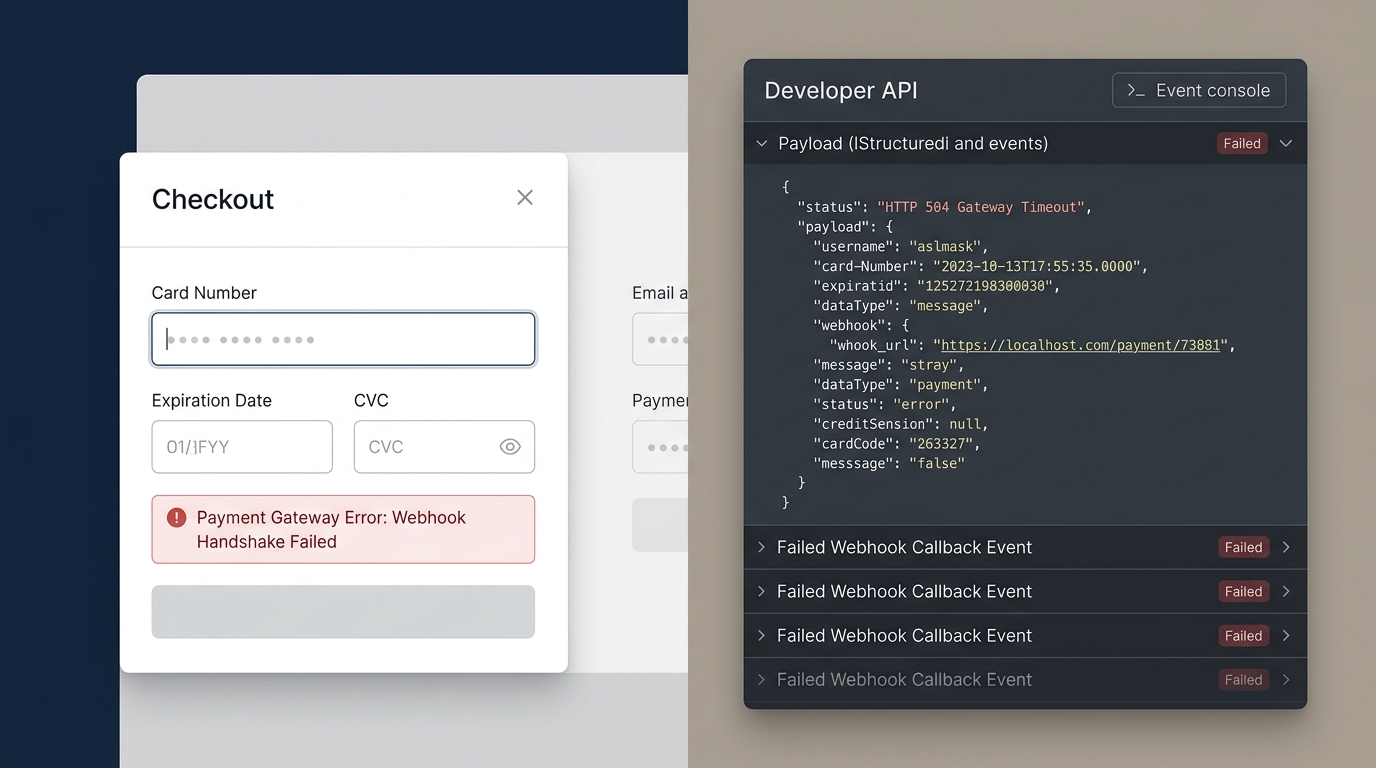
Why Is Your Payment Gateway Failing at Checkout? (And How to Fix It)

UptimeClick Operations
7 min read
The Moment of Highest Friction
Your store has done everything right: targeted ad campaigns attracted qualified buyers, product pages convinced them to buy, and the cart drawer calculated accurate shipping rates. The customer inputs their credit card details and clicks “Pay Now”.
Then disaster strikes: a red banner flashes across the screen reading “Payment failed” or “An error occurred while processing your request”.
To make matters worse, the customer checks their banking app and discovers the money has already been deducted from their balance, but no order confirmation email arrives. Frustrated and anxious about fraudulent charges, they open an angry support ticket or initiate an immediate chargeback dispute.
Why Payment Gateways Fail Silently
Modern online checkout relies on a multi-stage cryptographic handshake between three independent actors: the customer’s browser, your e-commerce server, and the external payment processor (such as Stripe, PayPal, or Adyen).
Because your web server remains online and returns HTTP 200 responses throughout this entire process, traditional uptime ping checkers see nothing wrong. The breakdown occurs at the integration layer.
The 4 Most Common Causes of Gateway Breakdowns
1. Webhook Desynchronization (The Phantom Charge)
When a customer completes a card payment, the payment gateway captures the authorization and sends an asynchronous server-to-server webhook (e.g., payment_intent.succeeded) back to your store URL to trigger order creation.
If your web hosting server experiences temporary latency, if a security firewall (like Cloudflare Bot Management) blocks the webhook IP, or if secret API keys were changed without updating webhook endpoints, your store never receives confirmation. The gateway took the money, but your platform marks the checkout as abandoned.
The Fix:Log into your payment dashboard (e.g., Stripe Dashboard > Developers > Webhooks) and examine recent delivery attempts. Look for HTTP 403, 500, or 504 errors. Whitelist payment gateway IP ranges in your server firewall.
2. JavaScript Optimization and 3D Secure Modal Crashes
Under Strong Customer Authentication (SCA) regulations, bank verification frequently requires a 3D Secure modal popup (One-Time Password challenge).
If your store utilizes aggressive script aggregation, minification, or “Delay JavaScript Execution” rules, the browser may fail to load the required modal runtime scripts in time. The bank issues a temporary hold on the customer’s card, but the browser window fails to render the verification prompt, aborting order completion.
The Fix: Exclude all payment SDK scripts (js.stripe.com, paypal.com/sdk) from caching, concatenation, and deferred loading pipelines.
3. Conflicting Gateway Plugins Running Simultaneously
On WooCommerce stores, merchants often install multiple payment extensions over time—for example, running WooPayments alongside the standalone WooCommerce Stripe Gateway extension.
When two different plugins attempt to initialize Stripe Elements on the same DOM container, token collisions occur. One script requests a PaymentMethod token that the other script cannot settle, resulting in immediate checkout failures.
The Fix: Standardize on a single, dedicated payment gateway extension per payment method. Deactivate legacy or redundant payment plugins.
4. Expired API Keys and Subdomain SSL Mismatches
Payment processors require active SSL certificates and strict domain verification. If your store renewed its SSL certificate or added alternative domains without re-verifying Apple Pay merchant validation files (apple-developer-merchantid-domain-association), express payment methods will silently vanish or throw token errors during submission.
The Fix: Review your payment processor settings annually to verify domain association files and ensure live API credentials have not lapsed.
How to Protect Your Store with Synthetic Testing
You cannot discover payment failures by simply checking server status codes. Real operational assurance requires end-to-end synthetic monitoring:
- Simulating checkout flows inside real Chromium browser instances.
- Verifying that payment iframe containers mount properly in the DOM.
- Ensuring purchase buttons remain enabled and responsive to user interaction.
- Capturing instant high-resolution screenshots and DOM error traces when payment elements fail to load.